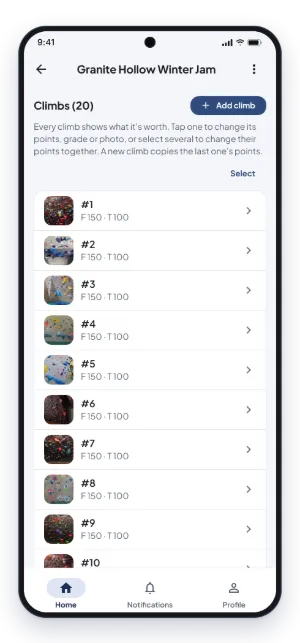
Points you can see
Give every climb the same points, make harder climbs worth more, or score World Climbing style. Flash bonuses, zones, points off for each extra attempt and best-N scoring are all optional.
Competitions
Set up a bouldering competition in minutes. Climbers join in the app, tap their own scorecard as they climb, and everyone watches the leaderboard change live. No paper scorecards, and no spreadsheet at the end of the night.
Included in Pro.
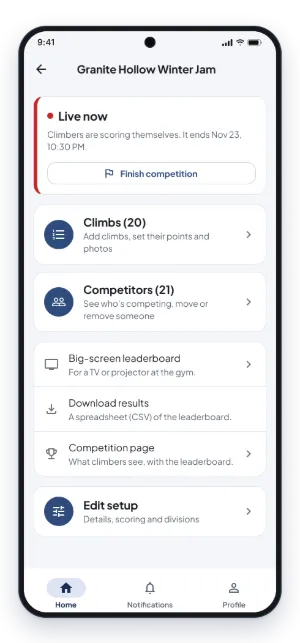
Name your comp, pick the times and how many climbs, and choose how it's scored. Add divisions if you want them, and a photo of each climb. Then publicize it, and Crux tells your climbers.
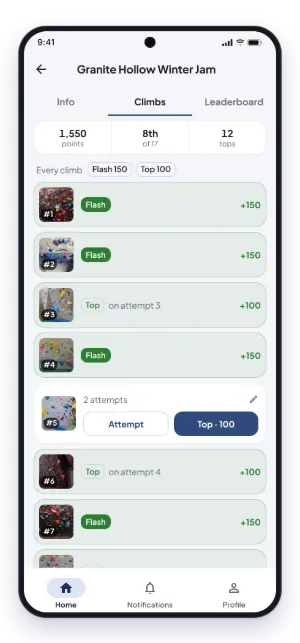
Climbers join from your gym's page in Crux. During the comp they tap Attempt and Top on their phone after each go, and every top lands in their logbook too.
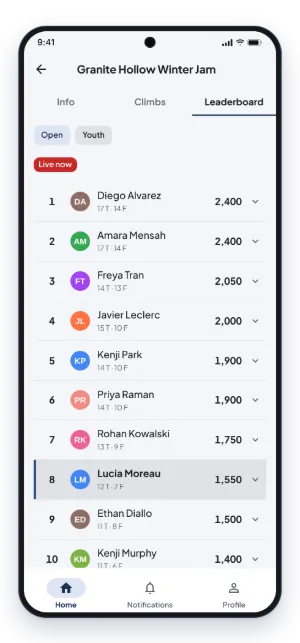
Rankings update as climbers score, for each division. Put the big-screen leaderboard up on a TV in the gym, and download the results when it's over.
Every climb shows exactly what it's worth. Start from a common format and change any climb's points whenever you like.
Give every climb the same points, make harder climbs worth more, or score World Climbing style. Flash bonuses, zones, points off for each extra attempt and best-N scoring are all optional.
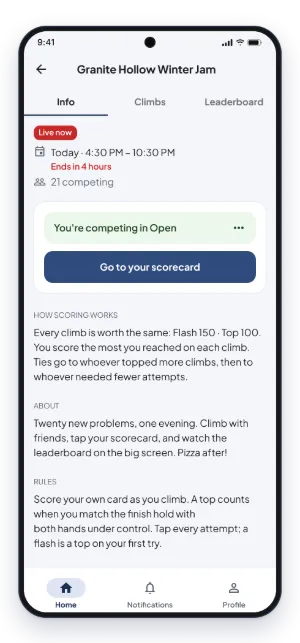
Each comp has its own page with the times, how scoring works in plain words, your rules and the leaderboard. The climbs stay secret until the start.
Crux ranks climbers by points, then by more tops, then by fewer attempts. Climbers who left aren't ranked, and anyone can join right up to the end.
Pro ($60 per gym a month, less paid yearly). Climbers never pay.
They use the Crux app on iPhone or Android, or Crux in their phone's browser. They join from your gym's page, and a guest can watch the leaderboard without an account.
On their own phone: a tap for each attempt and a tap for the top (and the zone, if your climbs have them). They can correct a mistake, and an accidental top can be undone.
Probably. Each climb has its own top, flash, zone and points off per extra attempt, and you can count each climber's best N climbs. Tell us if your format doesn't fit and we'll look at it.
Yes. Open the example competition to see it as a climber and as staff, or run a private test of your own comp with your staff before the start.
Start your free trial and set up a competition today. It takes about ten minutes.