Copied into your gym
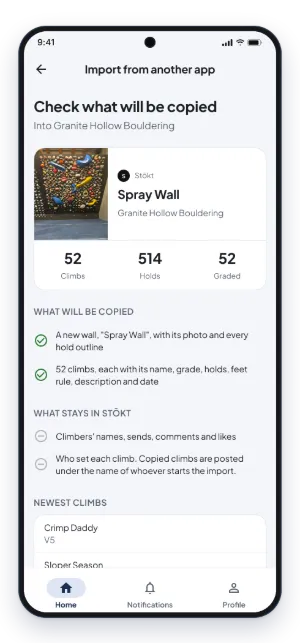
- The wall, with its photo and every hold outline
- Every climb on it: name, grade, holds (start, finish and feet), feet rule and description
- When each climb was set, so your newest climbs stay newest
Import climbs
Switching from Stōkt or Retroflash? Crux copies each wall's photo, holds and climbs into your gym in about a minute, so your climbers keep every problem from day one.
Free 14-day trial of Crux Pro. No credit card needed.
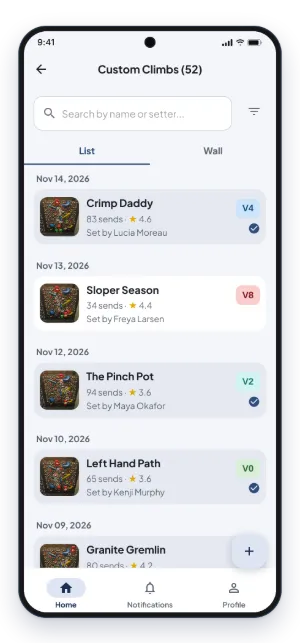
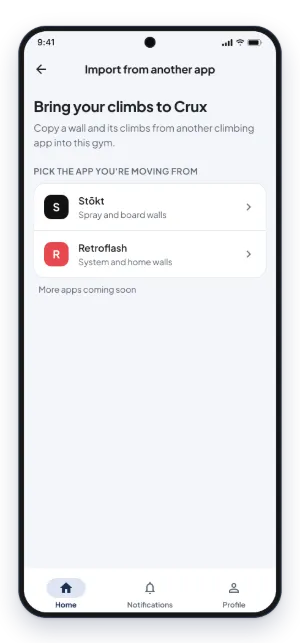
In your gym's settings on Crux, open Import from another app, choose Stōkt or Retroflash, search for your gym and pick a wall.
Crux reads the wall and shows you what it will copy: how many climbs and holds, which grades match your gym's, and the newest climbs. Nothing is copied until you confirm.
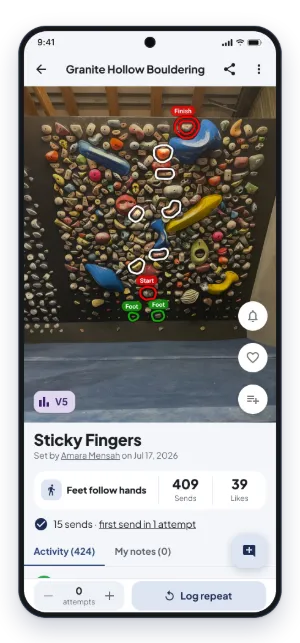
The copy runs on our side, usually in under a minute. Your climbs are then on Crux, drawn on your wall's photo, ready to send, comment on and add to.
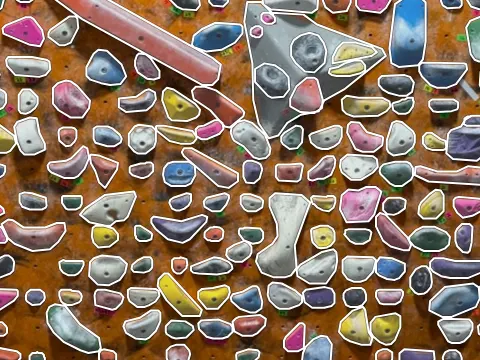
Spray walls and boards. Each wall comes across with Stōkt's own hold outlines.
System walls and home walls, found by gym name or a climber's profile link. Retroflash marks holds with circles, so Crux runs the photo through its own hold detection and gives each climb the real hold outlines.
Bring every wall and climb over yourself in a few minutes, or we set up your whole gym for you.
See how switching from Stōkt worksUsing another app? Tell us which one and we'll look at adding it. Contact us
No. Importing is included in every gym plan, Standard (from $25 per gym a month) and Pro, and in the free trial. Both plans have unlimited walls, so import as many as you like.
Your gym's admins, from Gym settings > Import from another app. It needs a trial or a paid plan: the free tier can only add a few climbs a day.
Reading a wall for the summary takes a few seconds. Copying usually takes under a minute, and a few minutes for a wall with hundreds of climbs. You can leave the page while it runs.
Sends, comments and climbers' names stay in the other app: Crux only copies the wall and its climbs. Your climbers log their sends on Crux from then on.
Yes. If an import stops part way, run it again: climbs already copied are skipped, and the ones copied so far are kept.
Start your free trial, import your walls and see your climbs on Crux today.