Seconds, not half a minute
Most walls are scanned in under a second, and even the biggest panoramas take about one. Other apps' scanners can take half a minute for a single wall.
Hold scanning
Photograph your wall and Crux outlines every hold on it, from big volumes to the smallest footholds. No tracing holds by hand, no waiting, no fixing it up afterwards.
Free 14-day trial of Crux Pro. No credit card needed.
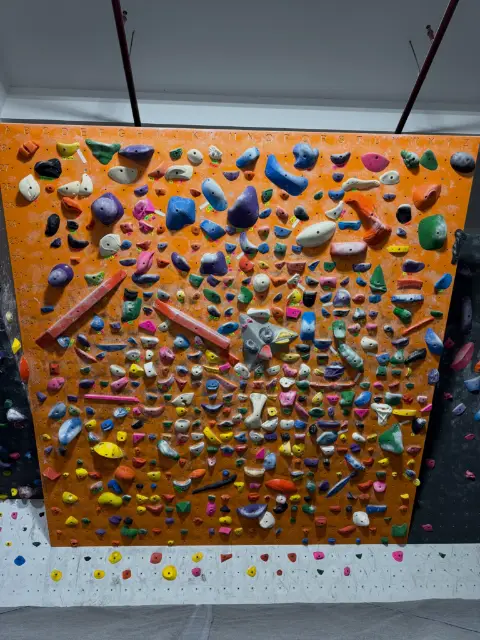
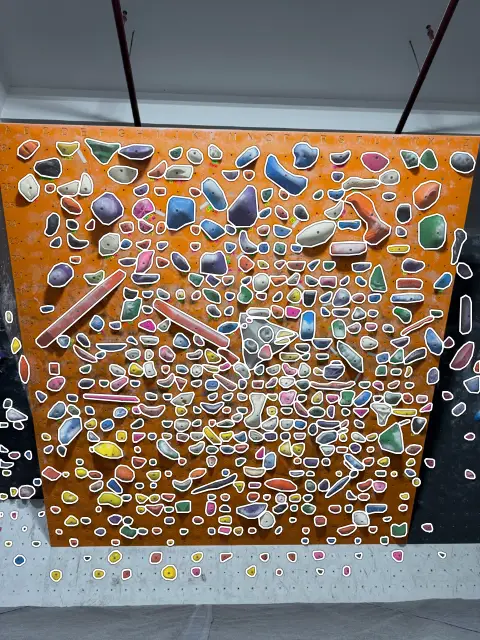
Take a photo of a wall at your gym, pick one you already have, or scan one of our sample walls. Then zoom in and check every hold yourself.
A photo of a wall, from the front, with the whole wall in view.
We don't keep your photo.
No photo handy? Try one of ours
We don't keep your photo.
Pinch, double-tap or use + and − to zoom, then drag to look around.
Download the Crux app to scan your wall for real, set climbs on it and share them with your climbers.
This is "The A", a wall with over 2,000 holds. Crux can scan this wall in about one second and find every hold.
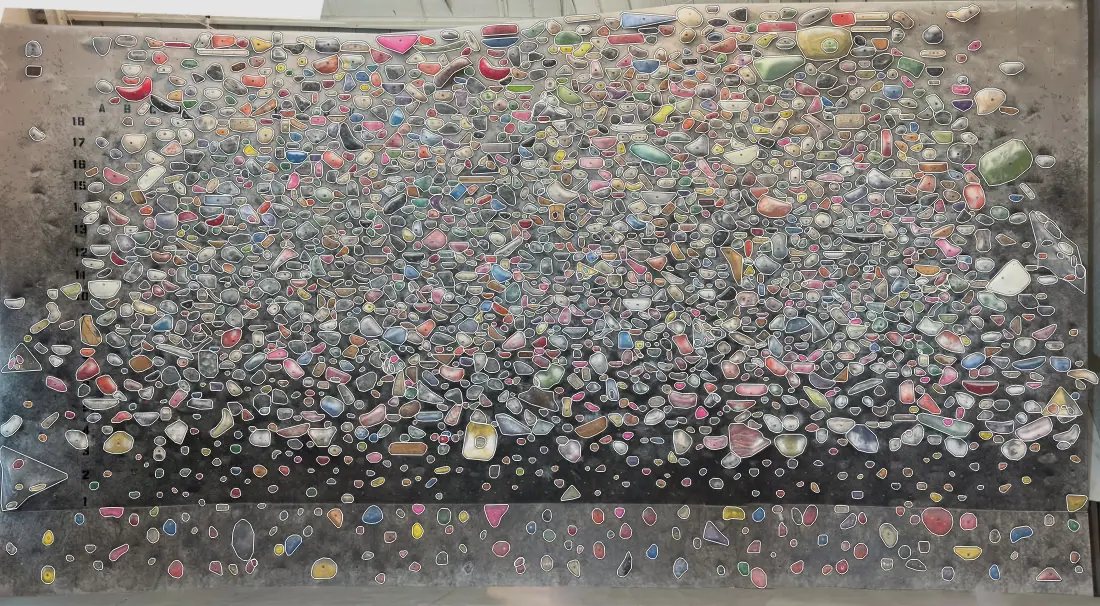
Other apps' scanners have taught gyms to expect a long wait and a wall full of missed holds. Crux was built to get it right the first time.
Most walls are scanned in under a second, and even the biggest panoramas take about one. Other apps' scanners can take half a minute for a single wall.
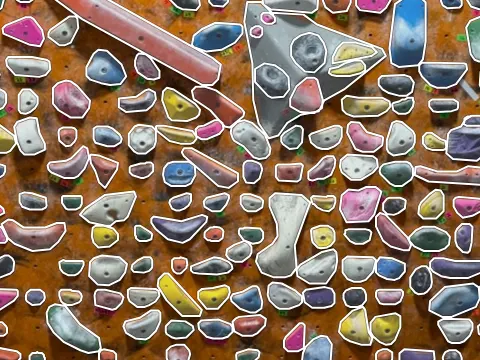
Crux finds the holds other scanners miss: tiny footholds, screw-ons, holds on volumes and holds pressed up against each other, each with its own outline that follows its shape.
With other apps, a scan is where the work starts: tracing the holds it missed, one by one. With Crux your wall is ready to set on as soon as the scan ends. Missed one? Add it with a tap.
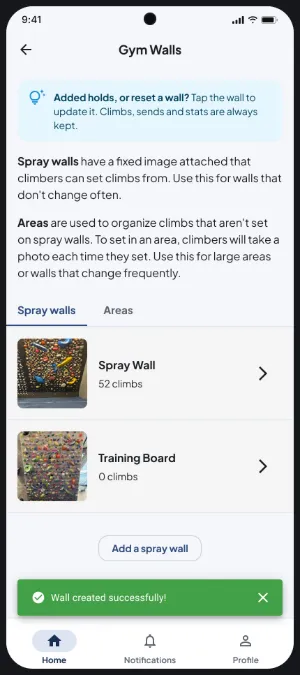
In your gym's walls, add a spray wall and take a photo from the front, with the whole wall in view. Any phone camera will do.
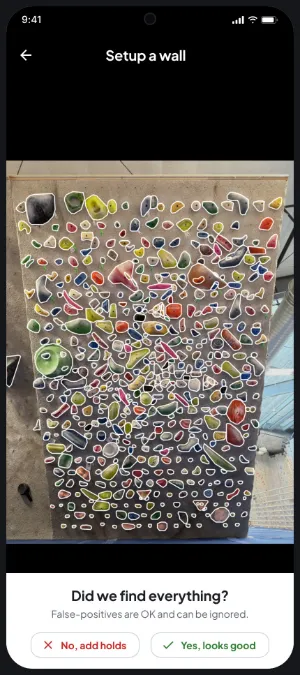
In about a second, every hold on the wall is outlined. Check them, then confirm: the wall is ready.
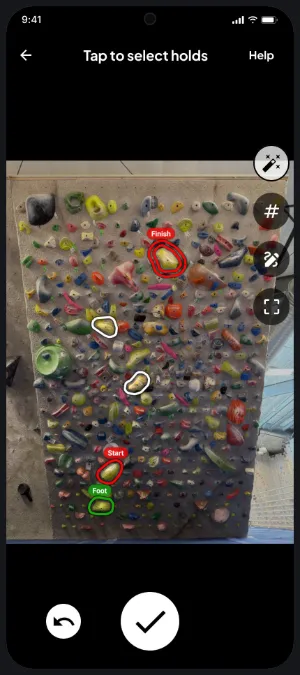
Your setters and climbers tap holds to make a climb: start, finish, feet. Climbs are drawn on your wall's photo for everyone to see.
Stand back far enough that the whole wall is in the photo, face it as straight on as you can, and hold the phone level. A normal phone photo is plenty: Crux scans at full resolution, so small holds still show up.
Ordinary gym lighting works well. Avoid strong glare or a bright window behind the wall, and make sure the bottom of the wall isn't lost in shadow.
They scan just like vertical walls. For a steep overhang, step back and shoot from slightly below so you see the face of the wall rather than its underside. Adjustable boards can be scanned at any angle.
Yes. Boards are scanned like any spray wall, holds and all, so your climbers can set and log climbs on them too.
Nothing is kept. The photo is scanned, the outlines are sent back to your browser, and the photo is deleted. It never becomes part of a gym and we don't store it anywhere.
It's rare, but when it happens you add it in the app in a few taps. When you reset a wall, take a new photo and Crux scans it again, as often as you like, on every plan.
Start a free 14-day trial of Crux Pro, photograph your walls and start setting today. No credit card needed.